[LinkIt Smart 7688] MCS 上傳資料
Hi! 我是偉和
這篇要介紹如何用python 及NodeJS將7688所讀取到的感測器數值上傳到MCS上
事前準備:
- 請先將7688系統更新至最新版本 $opkg update
- 本範例會需要用到python requests函式庫來跟MCS溝通
- 在MCS上新增一個Prototype及test device,記下device id , device key
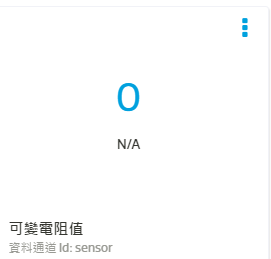
- MCS的Prototype加入本範例需要用的整數顯示元件,並將ID命名為sensor,如圖:

硬體準備:這次範例需要使用可變電阻,並且接於A0,如圖:

Arduino 程式都是一樣的,而在7688上有python與NodeJS
注意:Python與NodeJS僅須執行其中一個即可
Arduino部分:
#define sensorPin A0

void setup() {
  // put your setup code here, to run once:
  Serial.begin(9600);
  Serial1.begin(9600);

  pinMode(sensorPin, INPUT);
}

void loop() {
  // put your main code here, to run repeatedly:
  int Sensor = analogRead(sensorPin);
  Serial.println(Sensor);
  Serial1.print('a');
  Serial1.print(String(Sensor).length());
  Serial1.print(Sensor);
  delay(1000);
}
Python部分:
import serial
import time
import requests

ser = serial.Serial('/dev/ttyS0',9600)

device_id = "Your device ID"
device_key = "Your device Key"

data_channel = "sensor"
data_channel +=",,"
url = "http://api.mediatek.com/mcs/v2/devices/" + device_id
url += "/datapoints.csv"

def MCS_upload(value,length):
        data = data_channel+str(value)
        r = requests.post(url,headers = {"deviceKey" : device_key,'Content-Type':'text/csv'},data=data)
        print r.text

print "Start"
while True:
        if ser.read()=='a':
                IncommingNum = ser.read()
                sensor = int(ser.read(int(IncommingNum)))

                a = 8
                a += int(IncommingNum)

                MCS_upload(sensor,a)
NodeJS部分:
var mcs = require('mcsjs');
var SerialPort = require("serialport").SerialPort
var serialPort = new SerialPort("/dev/ttyS0",
{baudrate: 9600
});


var myApp = mcs.register({
        deviceId: 'your device ID',
        deviceKey: 'your device Key',
});

serialPort.on("open", function () {
        receivedData ="";
        serialPort.on('data',function(data)
        {
                receivedData =data.toString();
                a = receivedData.length;
                myApp.emit('sensor','', receivedData.substring(2,a));

        });
});
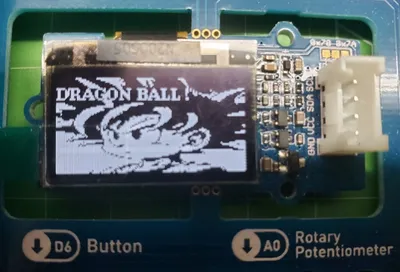
效果如圖


本文發表於Arduino開發板與實作、Python、雲端服務與應用,並標記7688、arduino、linkit 7688、MCS、MediaTek Cloud sandbox、NodeJS、python。
留言 💬 (0)
還沒有留言,來當第一個。